| Format | Size (px) | Ratio | Notes |
|---|---|---|---|
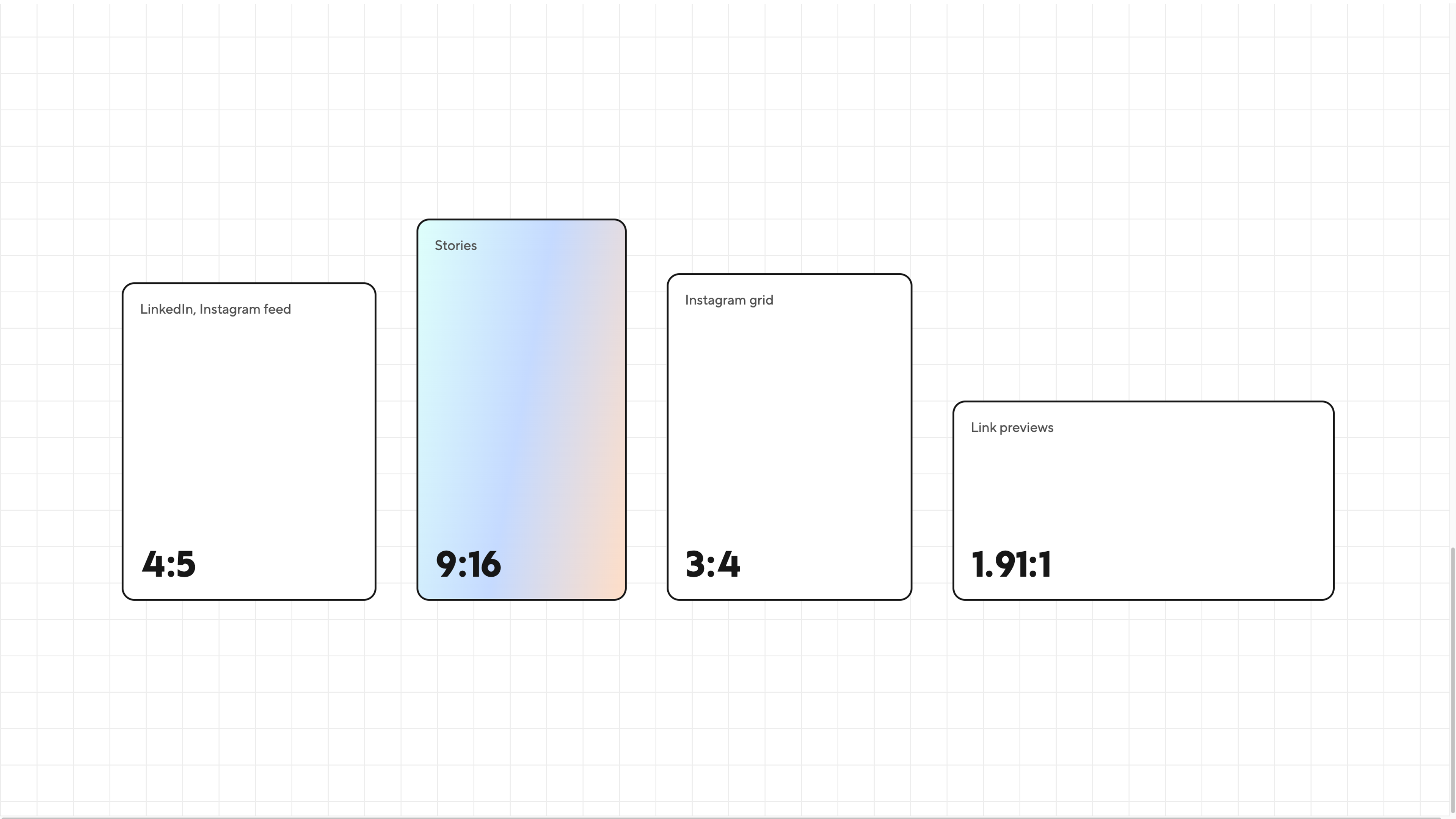
| Feed image | 1080 × 1350 | 4:5 | Takes up the most feed space. LinkedIn accepts ratios from 3:1 to 4:5. |
| Square image | 1080 × 1080 | 1:1 | The safe choice when one image is used across several platforms. |
| Document carousel | 1080 × 1350 | 4:5 | Upload as a PDF. Portrait works better on phones than A4 or landscape. |
| Link card | 1200 × 627 | 1.91:1 | Set as the page's Open Graph image. |
| Company page cover | 1128 × 191 | ~6:1 | Upload at double size (2256 × 382) so it stays sharp. The logo covers the bottom left, and mobile crops hard, so centre your message. |
| Personal profile banner | 1584 × 396 | 4:1 | The profile photo covers the bottom left. |
| Logo or profile photo | 400 × 400 | 1:1 | Shown as a circle on profiles. |
| Format | Size (px) | Ratio | Notes |
|---|---|---|---|
| Feed post (designed) | 1080 × 1350 | 4:5 | The default for graphics, carousels and anything you might boost as an ad. |
| Feed post (tall) | 1080 × 1440 | 3:4 | Fills the profile grid with no crop. Best for phone photos posted as they are. |
| Profile grid | shows as 3:4 | 3:4 | Every post is cropped to 3:4 on your profile, so keep text and faces in the centre. |
| Story or Reel | 1080 × 1920 | 9:16 | Keep text out of the top 14% (~270px) and the bottom 20% (~400px), where the app's buttons sit. |
| Reel cover | 1080 × 1920 | 9:16 | Also cropped to 3:4 on the grid, so centre the title. |
Google Business Profile
| Format | Size (px) | Notes |
|---|---|---|
| Cover photo | 1024 × 576 (16:9) | Google crops it differently in Search and Maps, so centre the subject. Don't go below 720px wide. |
| Logo | 720 × 720 (1:1) | Use your symbol, not the full wordmark. It can be cropped to a circle. |
| Update post image | 1200 × 900 (4:3) | Keep text to a minimum. 720 × 720 also works. |
| All photos | at least 720 × 720 | JPG or PNG, 10 KB to 5 MB. The minimum accepted is 250 × 250. |
Email newsletters
| Format | Size (px) | Notes |
|---|---|---|
| Content image | 1200 wide, any ratio | Displays at 600px, and the doubled width keeps it sharp on retina screens. |
| Header | 1200 × 400 | Many email apps block images by default, so never put key information only in an image. |
Before you post
Checklist
0 of 5 done
Why does my image look blurry?
It's usually too small, or it has been compressed twice. Export at the exact size, as JPG at around 85% quality for photos or PNG for text.
Is square still fine?
Yes, but 4:5 takes up more of the screen on both LinkedIn and Instagram.
How often do these change?
Several times a year. We check this page every quarter, and the date at the top shows the last review.
Found this useful?